Wednesday, November 17, 2010

Wikipedia is NOT Wicked!


Hi, My name is Ms. Jones and I use Wikipedia.

There, I said it. Somehow that's pretty freeing! Wikipedia is NOT a dirty word. It's not Fartopedia or Poopopedia (heh heh, yeah..my middle school is showing!) It's Wikipedia (wiki in Hawaiian means fast...as in fast to edit, change, morph, grow, etc.) I really think we're doing a disservice not teaching you...our kids.... HOW to use it and how to cite it...as in - ummm selectively & with forethought and discernment. Sadly, I don't believe teachers & college professors are ready to wrap their mind around or admit recent studies that show: Wikipedia as accurate as Britannica.
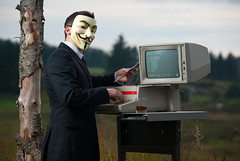
Much like the Internets in general, (or the Googles, or the Facebooks, or the Twitters, or the YouTubes) many educators, librarians, and parents look upon Wikipedia with suspicion, sometimes derision, and occasionally with fear.

But who are we kidding? It ain't goin away folks! the Wikipedias are here to stay...It's an Internet Wonder of the World! And for gosh sakes, it comes up top 3 in just about any Google search you do. What? Ignore a good entry for a query? Really? Can you admit, you use it, too?

Using Wikipedia in 5 Easy Steps.

  1. Use it for background information
  2. Use it for technology terms
  3. Use it for current pop cultural literacy
  4. Use it for the Keywords
  5. Use it for the REFERENCES at the bottom of the page!

Tech Terms Here: I mean, I love me my research databases! I do! Heck, I even made a animation video for them! I love you Gale/Cengage, Sirs, Worldbook, and EBSCO - I do! But if I look up Hashtag or QR code there, all I get are a few articles (one by my buddy librarian Mr. Chris Harris! YAY!) but no explanation. No definiton. No examples of real world use. That's just not good enough for you my dear students & readers!

But when you look up Hashtags or QR code in Wikipedia you get it ALL!

For more examples of how to use Wikipedia & how to teach it with our kids, see the Further Reading links below

Click for a Teaching Wikipedia At-A-Glance Comic Tutorial! (feel free to share this with the unbelievers, skeptical admins, and other peeps)

Oh and By the way...this blog posting caused me to work. Yeah, like do something I've never done before and it hurt a little.

Learning something new sometimes feels ouchy and uncomfortable. Because of this posting I created a Wikipedia editing profile and pushed myself to create a Wikipedia page for our school Murray Hill Middle School because I wanted to be there when you... my kids (or your parents) look for us on the Howard County Public School wikipage. Another step forward in Web Presence and Advocacy - & yes, Socialnomics: be where your customers are. But, I got stubborn and pushed through the uncomfortable feeling and Voila! It's done...Whew!

"The goal here is not to take Wikipedia as gospel but to use it to focus your research (via links, keywords and references) and get a little context (via background information). Focusing cuts down the time you spend on the project while context will get you a better grade for your effort." - by rebecca from Gear Fire

Further Reading:
Should I use or cite Wikipedia? Probably not.

4 ways to use Wikipedia (hint: never cite it)

Teachers: Please stop prohibiting the use of Wikipedia

Unnatural acts at Nature

20 Little Known Ways to Use Wikipedia

Study: Wikipedia as accurate as Britannica

The Wikpedia Gap - by Seth Godin

Rosenzweig, Roy. "Can history be open source? Wikipedia and the future of the past" Journal of American History, Volume 93, Issue 1 (June 2006) p. 117-144.

Schiff, Stacy. "Know it all: Can Wikipedia conquer expertise?" The New Yorker, February 26, 2006

And for balance:


Yes, students, there's a world beyond Wikipedia - via Lucy Gray - elemenous !


Photo credits:
Flickr Creative Commons:
Guy Fawks: by Stian Eikeland
Workbench mele By flattop341


Wikipedia Is NOT Wicked!
authenticity, Buffy J. Hamilton, fun, gale, howard county schools, Jimbo Wales, murray hill middle school, sirs, socialnomics, wicked, wikipedia

Thursday, November 11, 2010

A Science Fair Revolution: Putting the Trifold on Trial

(graphic by Tim Holt)
The digital shift revolution in educational practice isn't about throwing everything out that has been done before (sometimes to Ad nauseam) but to add projects & product choices that enhance learning and better demonstrate research assessments and the comprehension of data.

In other words: does a diorama and the science fair trifold with pasted on pictures & graphs really best show that the student has grasped the meaning and complexity of the research project. Really?


Several change agents in eduction are asking this question of late (including yours truly) and I would like to start that conversation here, too!
This also ties into the conversation Diane Cordell and I will be leading at EduCon in January (YAY!) The Power of the Product: Creative, Meaningful, & Daring Ways to Demonstrate Information Mastery : This conversation will create a shared list of viable, creative, meaningful, and daring products that demonstrate information mastery, go beyond the regular research report and span the digital divide. The products of this conversation (Google doc, Wallwisher, wiki, & Slideshare) will generate layers of sharing, producing, and value.

Diane Cordell - librarian, photographer, author of the blog Journeys and master researcher and brain trust that she is forwarded the blog of a great thinker Tim Holt from TX about moving away from Analog lessons to Digital lessons - see all28 pages of AWEsome PDF (wish I could embed it for you here!)

He also laments (ok, rants) about his annual call to arms to re-think the traditional science fair project - "Every Year at this time I rant about the need to get rid of science fair projects that rely on centuries old presentation methodologies and move our kids towards more of a, shall we say, modern approach?" - Tim Holt

Click the graphic to visit his site & watch the video. It's worth it.

Again, my stance is: don't rid of the analog - because we have to take into consideration access and the digital divide, but to add to it a menu of digital choices (and provide in-school creation time!) so that all our learning styles and modalities are taken into consideration.

Students...Parents...what do you think?

Not a sermon... just a thought!


Photos:
Screenshots from the video "A Vision of Science Fair Projects Today" from the Intended Consequences blog by Tim Holt

Power of the Product graphic by The Daring Librarian


Tags: diane cordell, digital divide, digital shift, educon, science fair projects, tim holt, the power of the product

Sunday, October 24, 2010

The Bob Edwards Show Visits MHMS & MHTV!


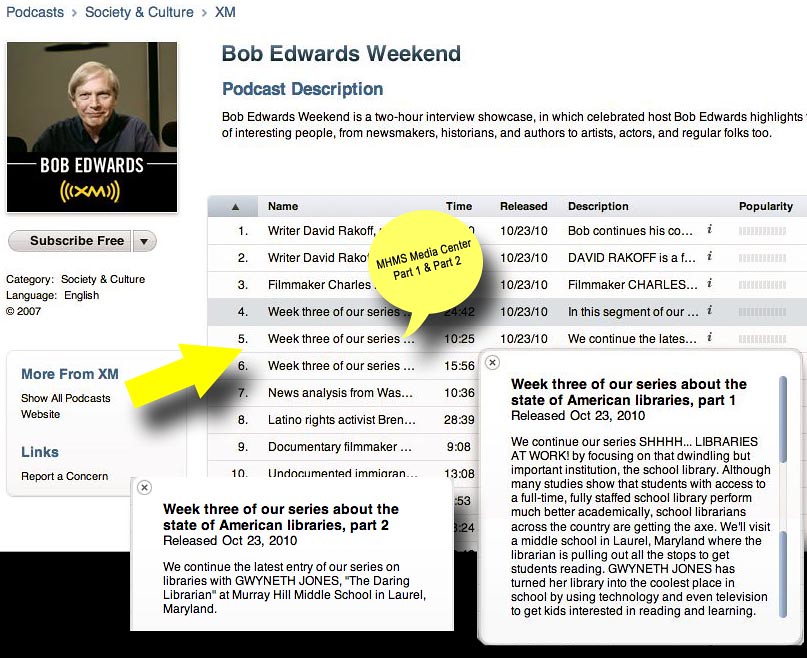
We were SO excited & flattered to host the Bob Edwards Sirius XM show a few weeks ago! They were doing a month long series called Shhhh… Libraries at Work!” (of course I HATE the Shhh! part!) and chose Murray Hill Middle School to represent school libraries. They found us through my professional blog and the interview focused on the future of school libraries, digital literacy, creating a positive digital footprint, research strategies, creating student assessment products, audio books, and how we always push the love of reading to our kids!

In Part 1 (#6 on the iTunes list) you can listen to the Bob Edwards XM Show Podcast featuring MHMS kids, MHTV, & our school library! It starts with Mrs. Singleton's 6th grade reading & research class visited for seminar book selection & talked about the kind of books they like, transitions into our MHTV crew creating our news show, and finishes with ..Mrs. Cullison's class coming in for the Book Pass orientation lessons, and more about books - in all kinds of formats!
From his blog: "We start today’s show off with a visit to a model, modern-day school library. Gwyneth Jones, aka The Daring Librarian, has pulled out all the stops to make her library the coolest place at Murray Hill Middle School in Laurel, Maryland. And it’s hard NOT to feel excited about school libraries after spending a morning with her and the students at Murray Hill. Jones has embraced technology— even (gasp) television – to get kids interested in reading and learning. Forget the stereotype of a matronly, bunned, button-upped librarian trying to maintain silence and order —- Jones likes her library a little rowdy!"

But it's true, we have learning going on but there's also time for fun, teaching, research, & inquiry that is not always.... hmmmm silent!

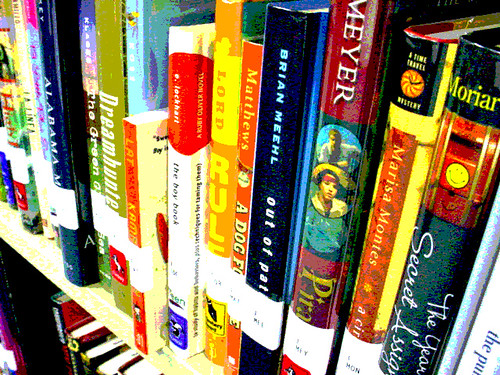
Also during the interview I talk about our Playaway audio book program so I wanted to show a few pics of how cute these single digital audio books are!

Part 2 is #5 on the iTunes list and it's an interview with yours truly about school libraries and the importance of digital literacy and creating a positive digital footprint.

Ok...as a cringeworthy aside, after listening to both parts of the podcast I do realize I say AWEsome a bit too much! But gee, I mean we've got an AWEsome kids and an AWEsome school! So there!
A couple corrections: we changed our top news story that day to a cooler NASA one about the IBEX spacecraft that also meant we could play "She Blinded Me with Science" by Thomas Dolby song \\FTW!//, StudentNews.net is sponsored by Britannica NOT World Book (Oops sorry!) For the Book Pass: Power of Choice activity we didn't have a dozen books out...we had at least 200! (more than a dozen on every table) ...AND we only have 1 media specialist in our school (part 3 said we had 2) ...though my media assistant the AWEsome Mrs. Black and I have worked together now for 19 years, and really when it comes down to it...we're a true team it's like having 2 librarians! Woohoo!

UPDATE:
OhEmGee! Look at this email we got!
Hello, Ms. Jones! My name is Michelle Nichols, and I work for the Adler Planetarium in Chicago on NASA's Interstellar Boundary Explorer (IBEX) mission Education and Public Outreach (E/PO) program. One of our VP's here at the Adler heard the Bob Edwards radio show this past weekend that featured you and your wonderful program to have kids report the news. I listened to the spot this morning and we were so proud that the news clip that the radio show used to illustrate the news program was about IBEX! The students got the science just right, too. We are thrilled that they thought that the story about IBEX's recent info release was worthy of inclusion in their program. They did a great job! Thanks, again, and please tell the kids thanks, also, on behalf of the IBEX E/PO team.
Michelle


Michelle Nichols,
Master Educator - NASA Forum Programs

The Adler Planetarium

1300 S. Lake Shore Dr. Chicago, IL 60605
Visit the Adler Planetarium Website
''

Final Note: Since we're sorta bragging here I thought I would share some exciting news with my students & community. I was chosen by Cengage Learning and School Library Journal to be one of 5 national library New Leaders Program for the SLJ Summit in Chicago. I was honored, humbled, floored, & flattered (and frankly gobsmacked!) to have been chosen for this award.
I'll strive to continue to be a library leader & change agent within my community and the nation. Click below to learn more or see my professional blog post. Thank you SO much!

Monday, October 18, 2010

Pay the Piper & Pass The Book!

From Mr. Jewitt
Teen Specialist - Savage Branch

"2010-11 is the second year of Howard County Library’s Pass the Book initiative. Beginning October 18, we will once again be distributing specially marked copies of a YA novel. This year's selection is Pay the Piper by Jane Yolen and Adam Stemple. As last year, we'll begin to distribute these books during Teen Read Week, beginning Monday October 18 - Mrs. Singleton will be our point of contact if you're interested in this special program!

Register the book’s number at
hclibrary.org/passthebook/

Read the book & participate in challenges and quizzes on the website. Pass the book to another friend who will register the book again!

Readers can return to the website throughout the year to track where these books have traveled, and to participate in online book discussions, quizzes and other activities. This year we have passed copies of The Secret Hour by Scott Westerfeld to China, England, Ireland, Kamchatka, and Norway, and to seventeen states including Alaska. We’re excited to see where Pay the Piper will travel in 2011!

For more questions contact:
Mr. Jewitt - John Jewitt
Teen Specialist - Savage Branch
Howard County Library
9525 Durness Lane
Laurel, MD 20723

Ph. 410-880-5983
Fax. 410-880-5999
john.jewitt@hclibrary.org
www.hclibrary.org

Saturday, October 02, 2010

Like Us! The MHMS Facebook Page &
Concrete Digital Footprints


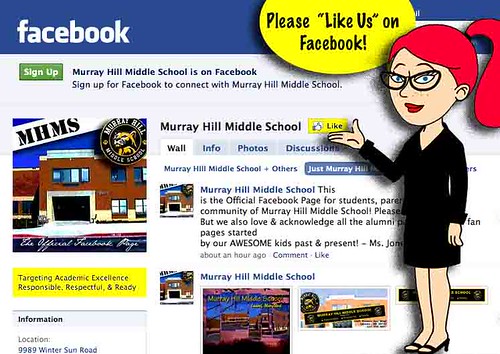
We here at MHMS want our families and the community find us everywhere! We want to model savvy social networking practices... So with Dr. D's permission we started this Facebook page for our students, parents, & the community of Murray Hill Middle School! Please like us! But we also love & acknowledge all the alumni pages, group, & fan pages started by our AWESOME kids both past & present!
So please "Like Us" on the Official MHMS Facebook page!

The FB page features our school hours, links to our official school web page, digital photo galleries, wiki's, updates, and more!

Though this Facebook resource page was created for parents, students over 13 are welcome to like it, too. Or under 13 - with parent permission. That's COPA folks! Because please kids, we want you to be web savvy digital citizens. Yeah, yeah...I know, I blog a LOT about digital awareness....'cause it's like HELLO? Really Important! So here's more!

Start Your Positive Digital Footprint - NOW.

I've been teaching/evangelizing Internet safety awareness since 2000...I was first asked to do so by Maryland Public Television and then the Horizon Foundation...and through their patronage I created an early website called Internet Safety for Parents & Teens that covered a lot of common sense information about how to be more AWARE of the pitfalls and dangers on the Interwebs.

There is no safe, there is only AWARE

We have to encourage our kids to be self-aware of their own digital footprint. To be mindful of what they post and how they can cultivate a good positive Internet profile so that when they apply to college, or a job, they already know how they will be perceived by those people who will be digging for information ...and dig they will.

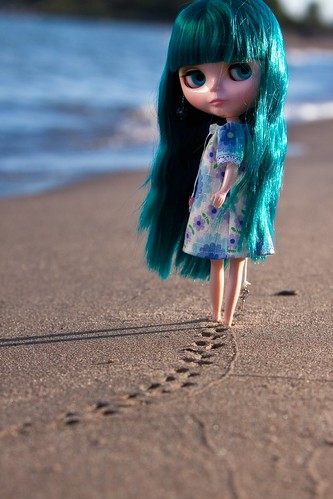
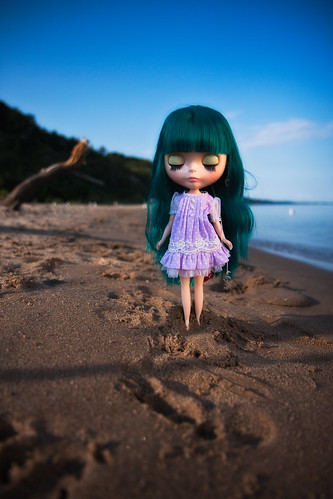
Though I really love the dollie pics above by jessi.bryan it's deceiving. What is posted - even once - can be found. Not likely, but yeah...it can. The tides and time of the Internets don't wash away all the bad mistakes. Now that's not to say it's not a GOOD idea to delete things that you regret posting - you should! I even sleep on something before I post it....I never post in anger or annoyance. I also don't want y'all to get paranoid. Just be aware of that BEFORE posting.

Footprints in Concrete - NOT Sand
As a kid, did you ever press your hand into a drying cement sidewalk?- ignoring all the caution signs and knowing full well that we shouldn't? Ever write your name, date, or sign it? (not me!) The Internet is sorta the same way.

Kids need to know that embarrassing or inappropriate pictures posted are there online and can be found. That texts and pics sent through the phone can be downloaded or passed on willy nilly. Now don't get me wrong...Social networks are NOT inherently bad and they're not going away - hence our new Facebook page ...it's more about using ethical & wise choices than being scared of the Bogey man out there - though they exist - it's more likely that teens will be harassed by other teens that they know than some stranger. Sad but true fact, teens who are at-risk in general will most likely be at-risk on the Internet.

Parents: What you can do

  • TALK to your kid, establish expectations, and tell them that you trust them but you also are cautious about what they share online.
  • Don't make the discussion combative, make it continuing & comfortable!
  • Make sure that ANY social network they belong to is set to private
  • Guide your kids foot (and hand) prints on the Internet by also not posting things you'll regret on FB or social sites. I've heard more than one sorry story where a parent had an embarrassing pic found by their kid! Eeeep! But - at least it's a teachable moment!
  • When in doubt, know how to check the history of your family & kids computer
Kids: What you can do

"Hemanshu Nigam, the chief security officer at News Corp. provides advice about the compassionate and kind use of social networking:

  • Post with respect: photos are a great way to share wonderful experiences. If you're posting a photo of you and your friends, put yourself in your friends' shoes and ask would your friends want that photo to be public to everyone. If yes, then you're uploading photos with respect.
  • Comment with kindness: compliments are like smiles, they're contagious. When you comment on a profile, share a kind word, others will too.
  • Update with empathy: sharing updates lets us tell people what we think. When you give an opinion on your status updates, show empathy towards your friends and help them see the world with understanding eyes.
from: Back-to-school advice for safe & ethical social networking - CNET News


Play the Friend Finder Game! Interactive fun game testing your social networking skillz!
Resources:
Net Cetera
NetCetera - In Net Cetera: Chatting With Kids About Being Online, OnGuard Online gives adults practical tips to help kids navigate the online world. - created by the FTC -
For Parents, Teacher Librarians, & Technology Educators: AWESOME FREE Bulk Brochures & Bookmarks for home, schools & libraries!

Social Networking Sites: A Parent’s Guide
The Parents' Guide to Social Networking Websites
Social Networking Sites: Safety Tips for Tweens and Teens
Blog Sites, Profile Sites, Diary Sites or Social-Networking Sites
Safe Teens: Texting, Dating, and Safety

-----
Photos from Flickr Creative Commons: Cool River Blythe dollie photos by By jessi.bryan, Signed foot and hand prints found & photographed By ww_whist Jerry

Friday, October 01, 2010

HCL Homework Help & More!

Hey Murray Hillers! Do you have your library card already? you do? GREAT! If so, make sure you've activated your PIN number at any of the HCL branches (esp.OUR branch the SAVAGE Branch library!) Once you get your pin, you can get FREE Homework Help & More!

"Working closely with your school's media center, Howard County Library is a supplemental source of homework and research assistance. Our staff and resources are here to enhance your educational journey.

Online Homework Assistance
Students, Kindergarten though twelfth grade, and adults seeking to improve their skills, can connect with free tutors for assistance with math, reading, science, social studies, English/language arts, and writing. Both English and Spanish speaking tutors are available seven days a week from 2:00 pm until 11:55 pm. Special thanks to the Howard County Public School System for contributing toward the cost of this service. More about Online Homework Assistance ...

Databases
Howard County Library offers access to thousands of full-text journal, magazine, and newspaper articles through numerous databases. Generate ideas for science fair projects with Access Science, research ideas for History Day projects with History Reference Center, and access critical analysis of famous authors for English papers with Literature Resource Center. You also can search for colleges with Testing & Education Reference Center and take practice exams (e.g., SAT, AP) with Learning Express Library."

And don't forget our MHMS Research Databases on our Wiki! With links to even more HCL resources!

AskUsNow!"The Library offers an online interactive service which uses
librarians to provide research guidance, help navigating
the Internet, and answers to questions. Chat with a
librarian 24 hours a day, seven days a week. Online 24/7
service is now offered in Spanish!


¡Recepción a nuestro
nuevo servicio! Pregunte por favor ayuda si usted la necesita."


Tuesday, September 28, 2010

MHMS Listens to YOU!


Murray Hill Middle School strives every day to put into practice our motto “excellence is our standard” and in doing so we need your help and your action! Utilizing Google forms, docs, and wikipages we provide many ways for you to feel connected to our school and to have a voice!

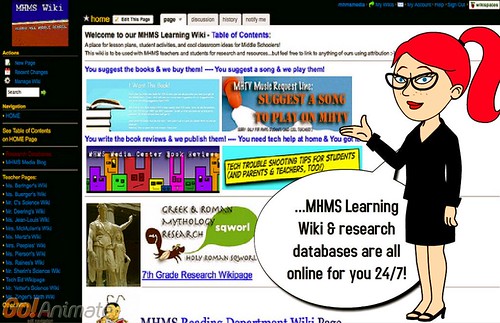
You suggest the books & we buy them!During your media center orientations you will hear more about contributing YOUR suggestions to our annual book order. But for those of you who are tech savvy, at home, you can Google “MHMS Learning” and our Learning Wiki comes up first! (OR you could click the link! LOL)

….there you will see the banner “I WANT THIS BOOK.” Click on that banner and you can add any books, authors, or subjects of books that you would like to see purchased for our school library collection. (Murray Hill peeps only...sorry world!)

You suggest songs & we play them!Like music?
While at the wiki you will also see a banner for our new MHTV Music Request Line where you can suggest Appropriate clean songs to play on our show.

Clicking on this banner will take you to a form where you can suggest songs with our MHTV guidelines. Basically, don't forget to check lyrics for language (no f-bombs, sh-words or b words!) and content (no drinking, drugs, overt sex, demeaning or prejudicial terms) ALL song must ultimately have a good & positive message!

You write the book reviews & we publish them!
Write a good book review and we'll publish it! You can also read book reviews that other MHMS students have written.

You need tech help at home & You got it!
Printer run out of ink? Don't know how to save your DOCX to a DOC?

Who needs the Geek Squad when you have us to help you out!? Visit our Trouble Shooting Tips for Students (and parents & teachers, too!) wikipage!

Thank you for participating in our interactive wiki and helping us become a better school! Have any suggestions on how we can be more interactive with you, our school, and community? Please tell us by leaving a comment!